One episode in. A week of podcast clips out.
Paste a podcast episode or pick the file, and Clipinator finds the moments worth posting, frames them vertically on whoever is talking and captions them word by word.
Face lock
The vertical frame follows whoever is speaking, so you never post a clip of an empty chair.
Finds the moments
The AI looks for lines that stand on their own: hot takes, stories, laughs.
Captions for muted viewers
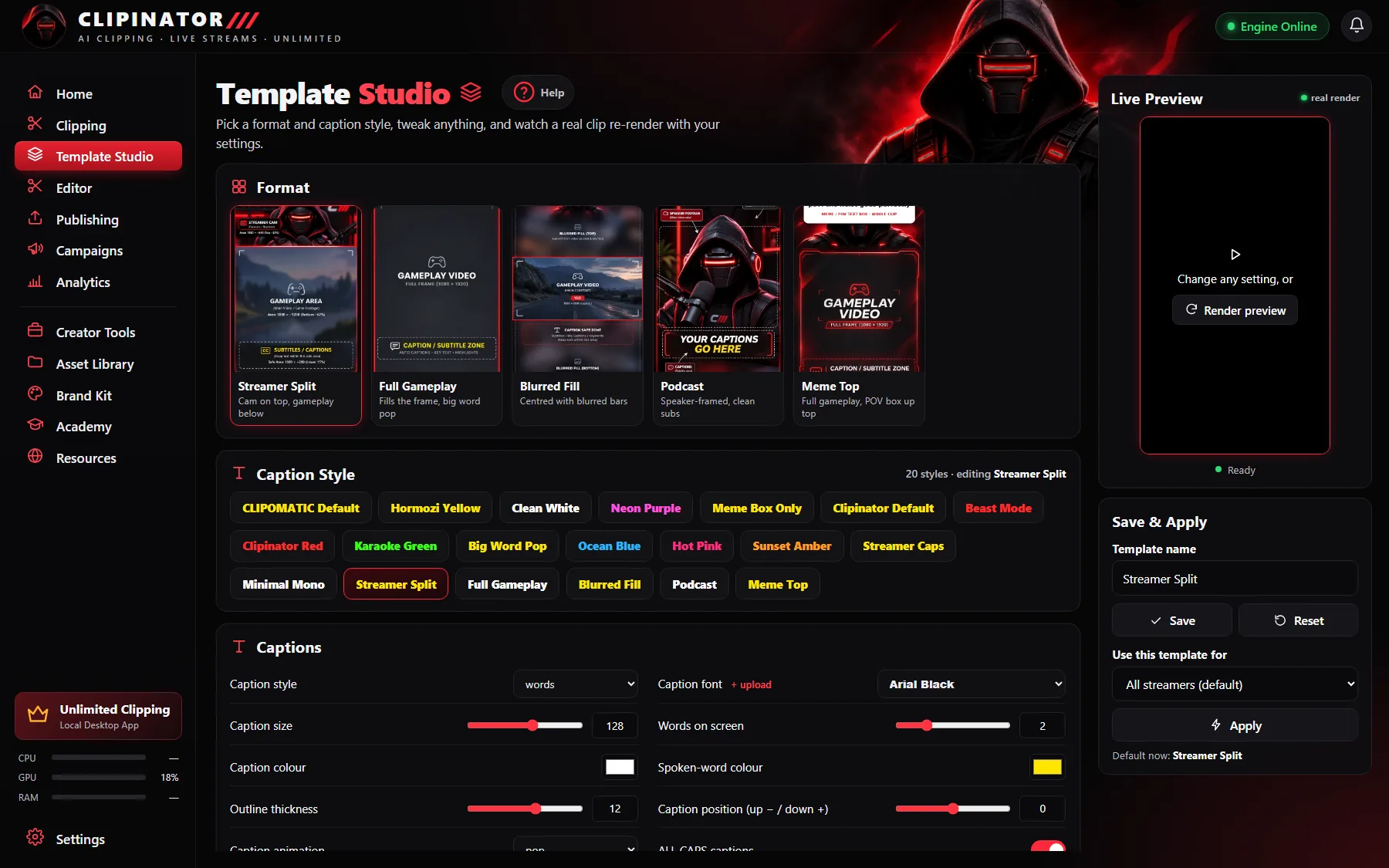
Word-by-word captions in your style, with highlight and karaoke motion.
Link or file
YouTube and Google Drive links, or MP4, MOV and MKV files from your PC. Files never leave your computer.
Clip the podcast, not your evening
Podcasts grow on Shorts now, but cutting an hour-long episode into clips by hand means scrubbing, reframing every speaker change and captioning every line. Clipinator does that on your own PC with no credits, so a weekly show can become daily clips.
Polish what matters
Open any clip in the Editor to trim it, add a hook card, cut the “um”s and pauses in one click, or switch the layout. Then schedule a week of clips across the evening slots. Full guide: how to make podcast clips for TikTok.
Questions
How do I turn a podcast into short clips?
Paste the episode link into Long video → Shorts or pick the file with Upload & clip, choose the Podcast format and a caption style, and Clipinator cuts the clips.
What is face lock?
Face lock makes the vertical frame follow the person who is talking, so podcast clips stay on the speaker.
Can I clip a podcast from my PC?
Yes. Upload & clip takes MP4, MOV, MKV and more, and nothing leaves your computer.
Does it add a watermark?
No. Clipinator only adds a watermark if you type your own @handle into it.
Turn every episode into clips
Unlimited clipping on your own PC, from $29 a month. No credits, cancel anytime.
Guides