FOR CLIPPERS · AND THE STREAMERS THEY CLIP
Your PC clips the stream.
You get paid.
CLIPINATOR watches your streamers live, catches the moment the hype peaks, edits the clip, posts it and submits it to your campaigns. While you're at work.
▶ Watch the 90-second demo (sound on)
THE OLD WAY
Clipping by hand is a race you lose
The clippers who get paid post the most and post first. Doing it by hand, you can't do either.
2:07 AM
Scrubbing 6-hour VODs
You watch hours of dead air to find 30 seconds worth posting. Then you do it again tomorrow.
TOO LATE
Everyone posted it first
By the time you've cut it, half the campaign has posted the same moment, and the budget's already drained.
−360 CREDITS
Paying per minute
Credit-based clipping tools charge for every minute of video you upload. One 6-hour stream is 360 minutes of credits.
THE CLIPINATOR WAY
Clip. Post. Submit. It does it all.
Not just a clipper, not just a poster. The whole loop from live stream to campaign payout, running on its own.
01 · WATCH LIVE
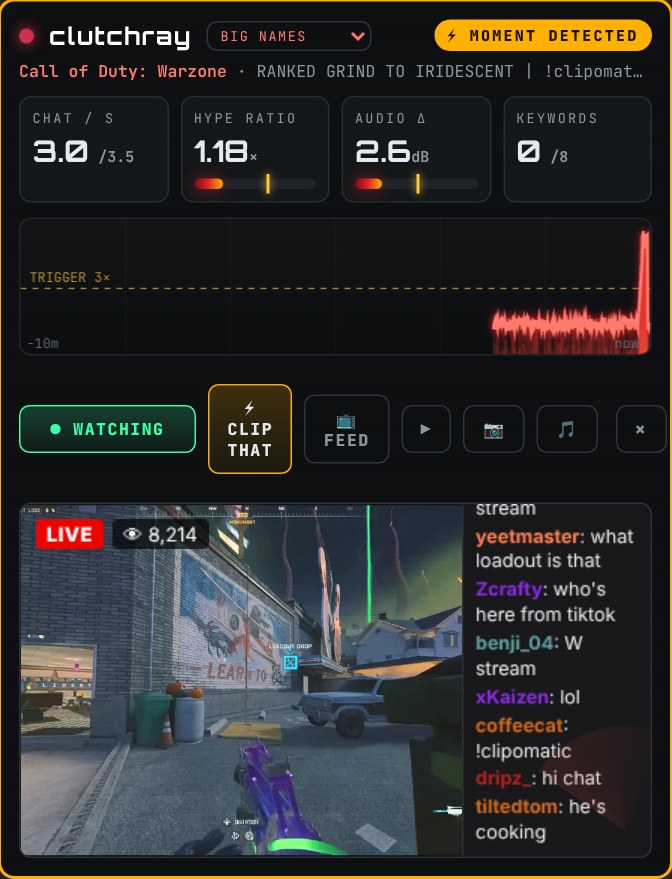
It watches your whole roster, live
Add your streamers and CLIPINATOR records them the moment they go live. It reads chat speed, audio spikes and hype keywords in real time. When the meters peak, it clips the moment. You don't have to be watching.
How many streams at once depends on your PC. The built-in PC Check tells you.
02 · CUT & EDIT
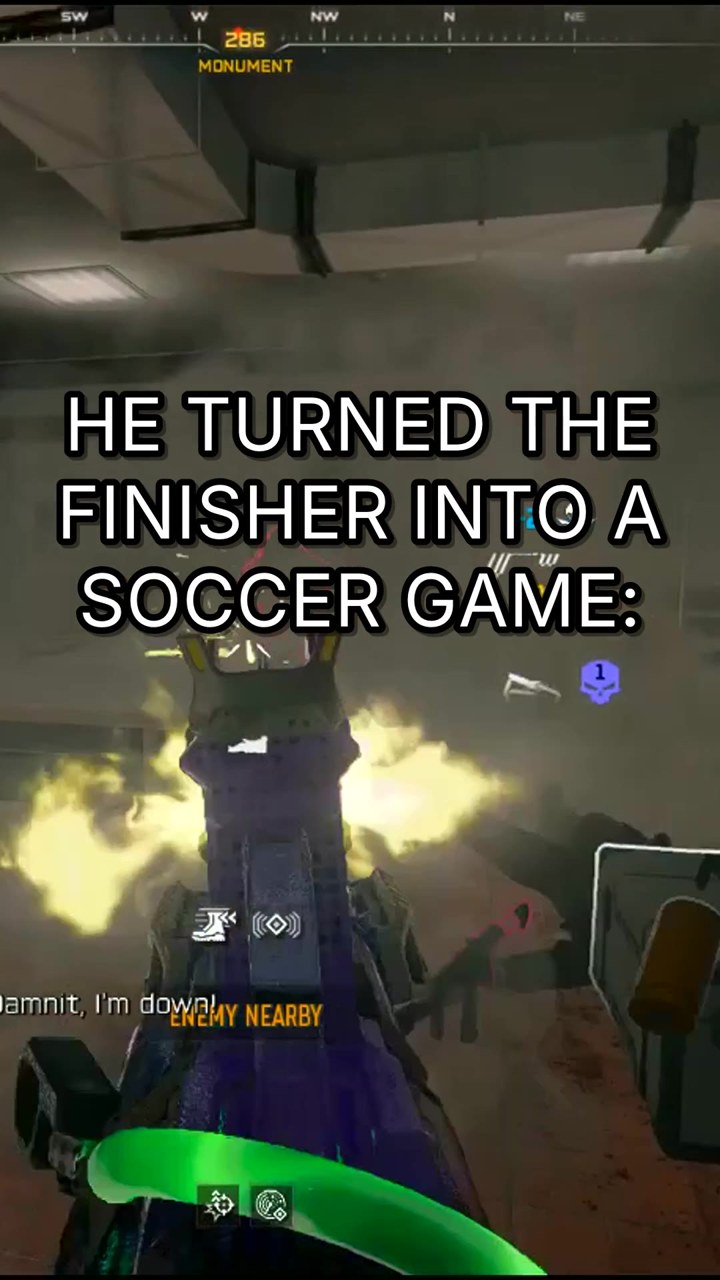
Rendered in seconds, ready to post
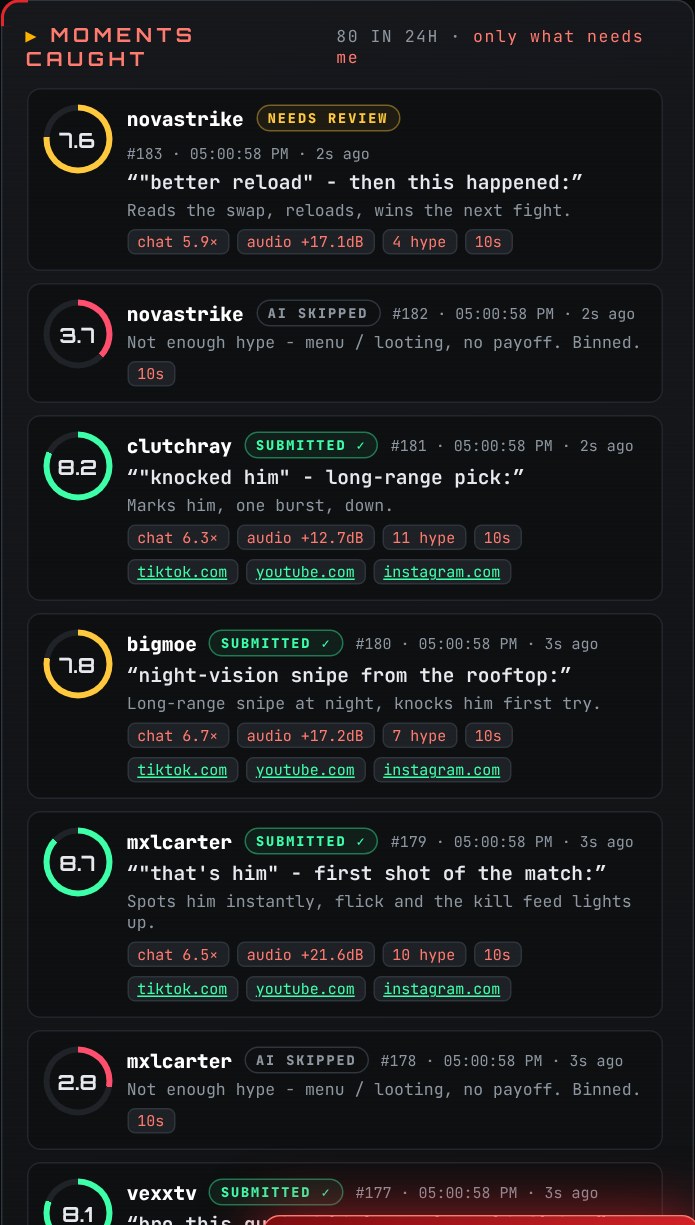
Vertical 9:16, captions, punch-in zooms, hook titles, swipes and sound effects, done automatically. The AI scores every moment and bins the ones that aren't hype enough, so only the best clips make it through. Want to tweak one? Open it in the editor.
03 · SCHEDULE & POST
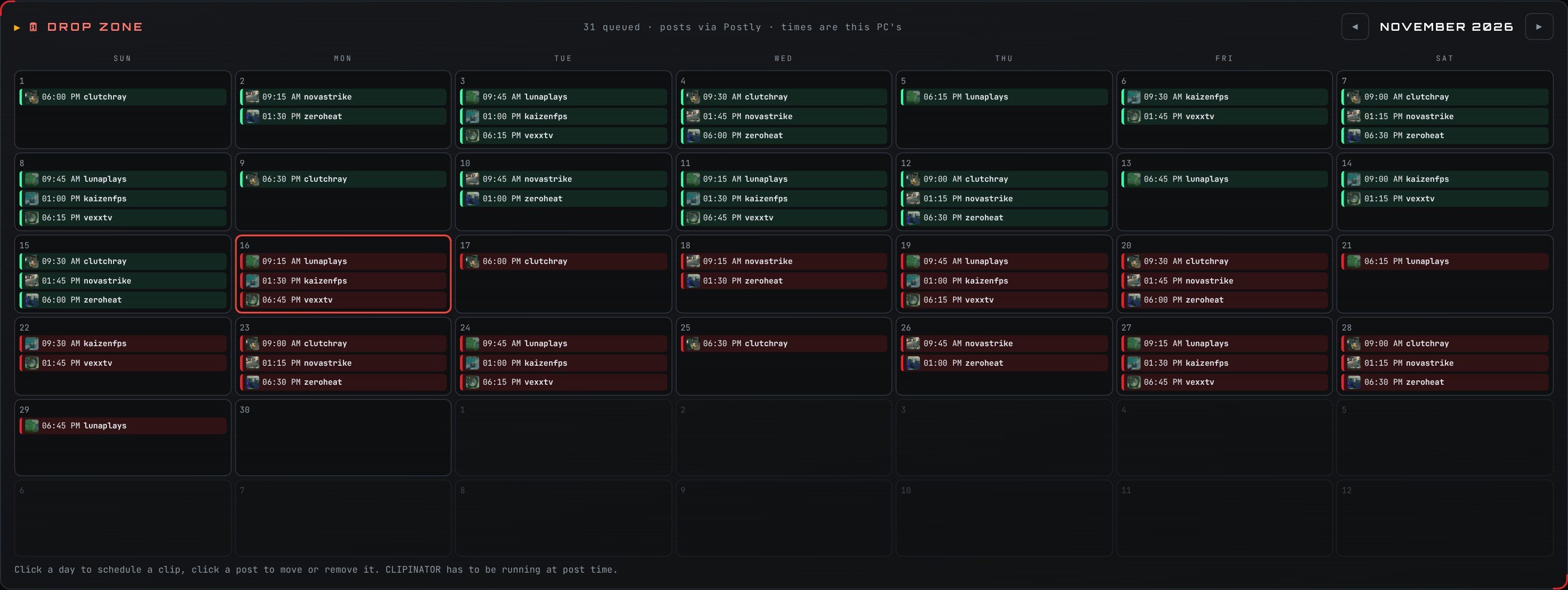
Your calendar fills itself
The Drop Zone schedules clips across the week and posts them to TikTok, YouTube and Instagram on autopilot. Connect Postly and scheduled posts go out even when your PC is off.
04 · SUBMIT & GET PAID
Submitted to your campaigns. Automatically.
Link your Content Rewards campaigns and every posted clip gets submitted for you, so the views count toward your payout. More clips, posted first: that's how clippers get paid.
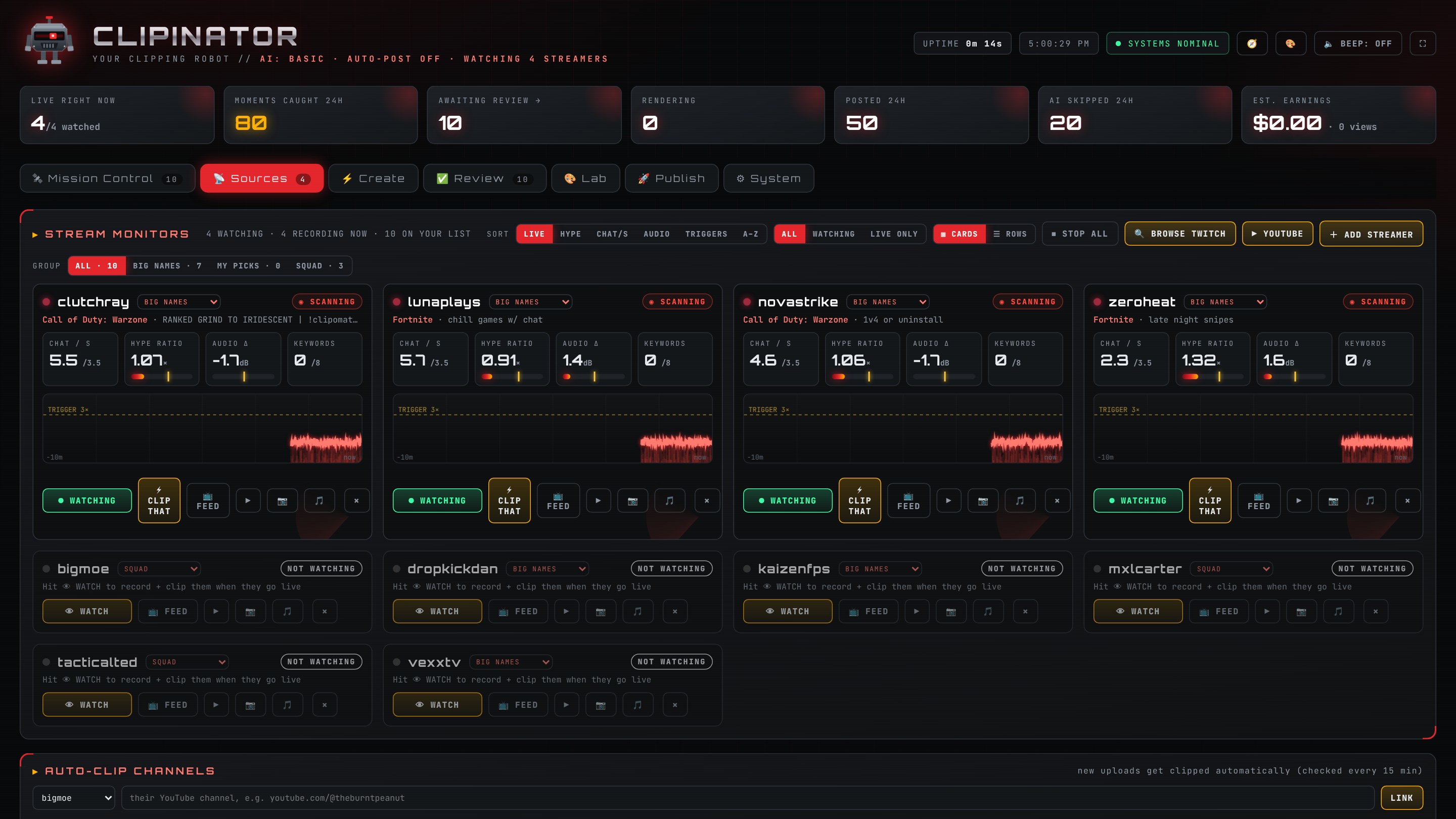
Mission control for your whole clipping operation
Every streamer, every hype meter, every clip and every post, on one screen.
Everything in the box
Live hype detection
Chat speed, audio spikes and keywords trigger the clip the second it happens.
Twitch & YouTube VODs
Missed a stream? Pick a recent VOD and it finds the best moments for you.
AI score & bin
Every moment gets a score. Weak ones are binned, so you only see keepers.
Auto-edit & editor
9:16, captions, zooms, hooks and SFX automatically, with a full editor when you want control.
Drop Zone scheduler
A calendar of every post, ready to drag, move or fill.
Auto-post
TikTok, YouTube Shorts and Instagram Reels through Postly.
Campaign submit
Posted clips are submitted to your Content Rewards campaigns for you.
Runs on your PC
Your clips, your machine. No per-minute meter, no uploads to wait on.
Other tools make clips. CLIPINATOR runs the whole job.
Cutting a clip is the easy part, and there are plenty of tools for it. Getting clips out first, every day, on every campaign is the job.
| CLIPINATOR | Per-minute clipping tools | Free open-source clippers | |
|---|---|---|---|
| How you pay | One monthly price, unlimited | Credits per minute of video | Free, with your own AI keys |
| One 6-hour stream | Included | 360 minutes of credits | Free, if your setup runs it |
| Watches streams live | Yes, clips as it happens | You paste links afterwards | Mostly no, you paste a link |
| Posts for you | Yes, scheduled | Varies by plan | Sometimes, if you wire it up |
| Submits to campaigns | Yes, automatically | You do it by hand | You do it by hand |
| Setup | One installer. The AI installs itself | Nothing, it's a website | GitHub, Python or Docker, your own API keys |
| Updates & support | Included. We fix it when Twitch or TikTok change | Included | When the maintainer has time |
One price. Unlimited clipping.
No credits. No per-minute fees. The only limit is your PC.
STARTER
$199/yr
= $16.58/mo · save $149
For getting your first campaigns going.
- Unlimited YouTube link & Twitch/Kick VOD clipping
- Live auto-clipping for 2 streamers
- Auto-edit, captions, hooks
- AI score & bin
- Built-in editor
MOST POPULAR
PRO CLIPPER
$399/yr
= $33.25/mo · save $309
The full clip, post and submit loop.
- Everything in Starter
- Live auto-clip every streamer your PC can handle
- 4K export
- Drop Zone scheduler
- Auto-post to TikTok, YouTube, Instagram
- Auto-submit to Content Rewards
- Long-form & best-of episodes
AGENCY
$999/yr
= $83.25/mo · save $789
For teams running many accounts.
- Everything in Pro Clipper
- 3 PCs on one licence
- Editor seats with permissions
- Multiple posting accounts
- Priority support
⚡ Founders offer: the first 100 members lock Pro Clipper at $39/mo or $299/yr, for life.
Questions
What PC do I need?
Any modern Windows 10 or 11 PC with 16 GB RAM and 30 GB free disk. No graphics card? It still works: your processor makes the clips and the AI picks run on your own OpenAI or Kie key, about a tenth of a cent per clip. An NVIDIA card (8 GB or more) makes it about twice as fast and lets the AI run free on your PC. The built-in PC Check runs a real benchmark and tells you exactly what your machine can do.
Is it really unlimited?
Yes. Clipping runs on your own PC, so there's no per-minute meter and no credits from us. The AI runs free on your PC, or on your own OpenAI or Kie key if you want it sharper and faster. You pay them directly, only for what you use: about $1 for 1,000 clips on OpenAI.
There are free clippers on GitHub. Why pay?
They're great if you're happy setting up Python, Docker and API keys, and most of them cut clips from a link you paste. CLIPINATOR is one download that watches your streamers live, posts on a schedule and submits to your campaigns, with updates when Twitch or TikTok change something and a real person to ask when it breaks. You're paying for the hours it gives back, not for the AI.
Does my PC need to stay on?
To watch and clip streams, yes. With Postly connected, posts you've already scheduled go out even when your PC is off.
Which platforms does it work with?
Watches Twitch live and takes Twitch and YouTube VODs. Posts to TikTok, YouTube Shorts and Instagram Reels. Submits to Content Rewards campaigns.
How much will I make?
That depends on the campaigns you join, their rates and rules, and how your clips perform. CLIPINATOR gets more good clips posted faster; we don't promise any income.
Post more. Post first. Get paid.
Let your PC do the clipping, posting and submitting while you live your life.
Start clipping today →