How to Turn a Twitch VOD into a YouTube Episode
A six-hour stream is not a YouTube video. A tight 20-minute episode of its best parts, with a hook in the first seconds, is. Here is how to get one from a VOD without a full day in an editor.
Why upload stream episodes to YouTube
Twitch VODs disappear and nobody rewatches six hours. A YouTube episode of the best parts keeps working for months: it shows up in search and recommendations, and it reaches people who never catch you live. The problem is the edit. Cutting six hours down to twenty minutes usually takes longer than the stream did.
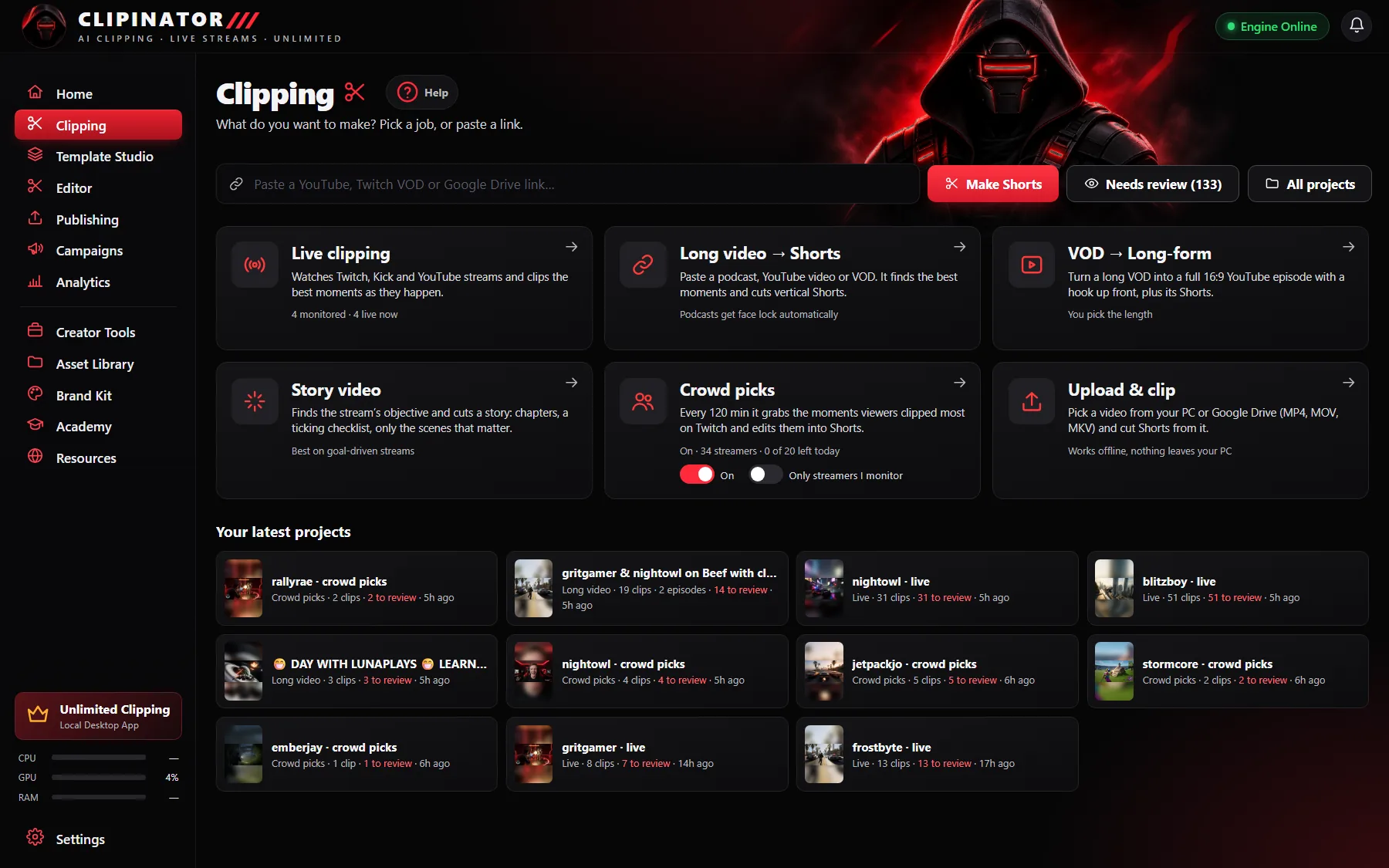
VOD → Long-form, step by step
- Open Clipping and click VOD → Long-form.
- Paste a Twitch VOD or YouTube link and tick the permission box.
- Pick the length you want.
- Clipinator builds a full 16:9 YouTube episode with a hook up front, plus Shorts from the same VOD.
- The episode lands in Needs review. Its preview shows a YouTube player, and scheduling it posts a normal landscape YouTube video, not a Short.
Long-form YouTube episodes are part of the Pro Clipper plan.
Story videos for goal-driven streams
If the stream has a clear goal, like “get the Lambo” or “beat the game in one sitting”, try Story video. Clipinator finds the objective, keeps only the scenes that move it forward, and adds chapters and a ticking checklist. It works best on streams with a clear goal.
Shorts from the same VOD
The same job gives you Shorts, so one stream feeds both your YouTube channel and your TikTok and Reels. Want more Shorts from that VOD? Paste it into Long video → Shorts as well. See long video to short clips.
Tips for stream episodes that hold viewers
- Lead with the best moment. The hook up front is there for a reason: show the payoff, then rewind.
- Title it like a story, not “Stream #142”.
- Use a thumbnail with one face and one idea. In the Editor, use the current frame or upload one and add big text.
- Be consistent. One episode per stream week builds a habit for viewers.
Questions
How do I turn a Twitch VOD into a YouTube video?
Paste the VOD link into VOD → Long-form, pick the length and Clipinator builds a 16:9 YouTube episode with a hook up front, plus Shorts from the same stream.
Can I schedule the episode to YouTube?
Yes. Scheduling a long-form episode posts a normal landscape YouTube video, not a Short.
Which plan includes long-form episodes?
Long-form YouTube episodes and Story videos are part of the Pro Clipper plan.
Can I make an episode from a YouTube VOD?
Yes. VOD → Long-form accepts Twitch VOD and YouTube links.
Clip it all on your own PC
Clipinator watches streams and long videos, finds the best moments and turns them into captioned Shorts. Unlimited clips, no credits, from $29 a month.